When the volume buttons stop working, you cannot turn a video down or silence the ringer in a meeting. Here is how to rule out the cheap causes, and how to control volume without the keys until a repair.
The short version: open Settings > Sound & vibration (Samsung: Settings > Sounds and vibration > Volume) for a slider per stream, use the Volume up and Volume down buttons of the Accessibility Menu, or put volume on a floating button. Take the case off first, because a tight case is the most common reason a key seems dead.
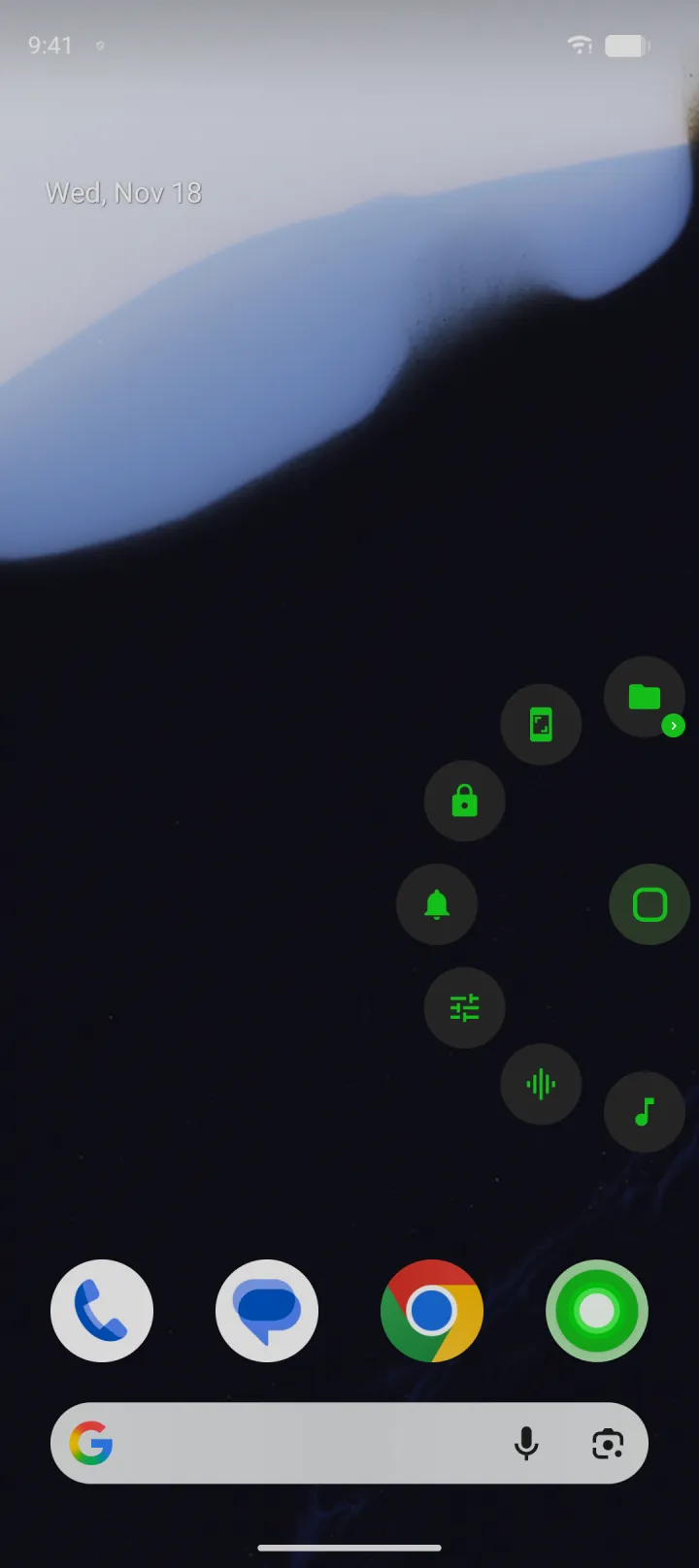
A floating button menu with a Volume Panel item. Captures in this article were made on a Pixel emulator running Android 17.
First, check whether the volume button is really broken
- Remove the case. A case that is a hair too tight holds a key down, and a held key makes the phone ignore the other one, keep changing the volume or show the slider on its own. Clean around the key with a dry brush or a puff of air.
- Restart the phone. A software hiccup can look exactly like a dead button.
- Try Safe mode. Swipe down to Quick Settings, tap the Power icon, then touch and hold Power off until Reboot to safe mode appears. Safe mode turns off apps you installed. If the keys work there, an app is intercepting them (a key remapper, camera tool or gaming overlay), so remove recent ones one at a time. If they fail there too, it is hardware or the system.
- Check which volume you are changing. Android keeps separate volumes for media, calls, ring, notifications and alarms, and silent mode or Do Not Disturb can make a slider look unresponsive.
A phone that keeps booting into Safe mode or recovery often has a stuck key. The power button guide covers the other half of that problem. If the keys stay dead after Safe mode, the repair is usually small: a replaced flex cable or switch.
How to change the volume without the buttons
- Settings. On a Pixel, Settings > Sound & vibration has a slider for media, calls, ring, notifications and alarm. On Samsung it is Settings > Sounds and vibration > Volume. This works whether or not any key does.
- Quick Settings. Samsung phones have a Sound mode tile, and One UI 7 and later add a volume slider to the Quick Panel. See the Android control center guide for what else lives there.
- Accessibility Menu. Go to Settings > Accessibility > Accessibility Menu and turn on the shortcut. The small button that appears opens a panel with Volume up and Volume down. On Samsung, the Assistant menu under Settings > Accessibility > Interaction and dexterity has a Volume tile.
Control volume with a floating button
Floatify is a floating button with a menu of actions, no ads and no account. The volume actions do not need the Accessibility service. In the action picker behind Add action..., Volume Up, Volume Down and Volume Panel are under Utility, and Sound Mode and Mute Media are under Quick Toggles.
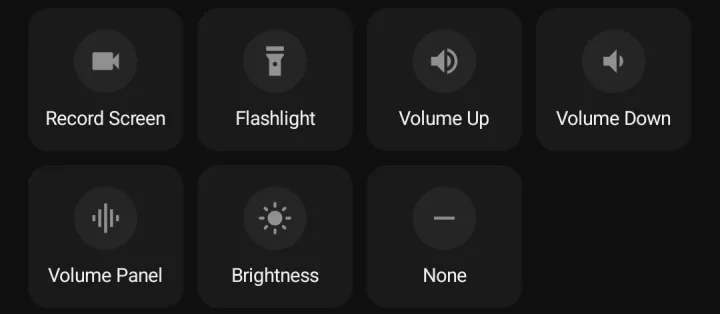
Volume Up, Volume Down, Volume Panel and Brightness in the Utility group.
- Volume Up and Volume Down step one notch per tap and keep the menu open. Android's volume slider appears at the screen edge each time.
- Volume Panel opens the system panel (Sound & vibration on Android 17) with a slider for every stream. On some makers' builds it falls back to the standard volume slider.
- Mute Media mutes only media (video, music, games) and leaves the ringer alone. Tap again to restore the volume.
- Sound Mode cycles Normal, Vibrate and Silent. The first time you step to Silent, Android requires Do Not Disturb access, so Floatify opens that permission screen.
Put volume on swipe gestures
Open Gestures, tap Swipe Up and pick Volume Up from Utility. Do the same on Swipe Down with Volume Down. This replaces the defaults (Quick Settings and Notifications), which you can restore any time.
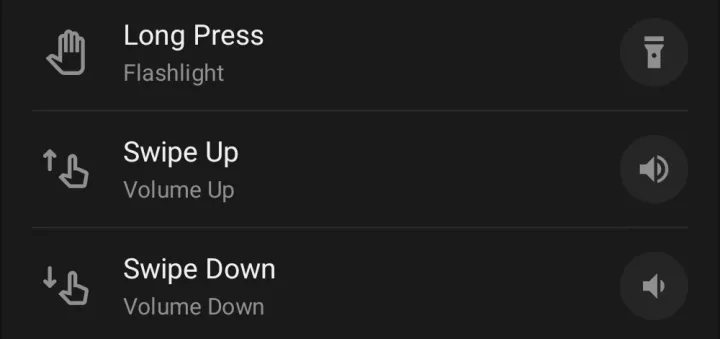
Swipe Up raises the volume, Swipe Down lowers it.
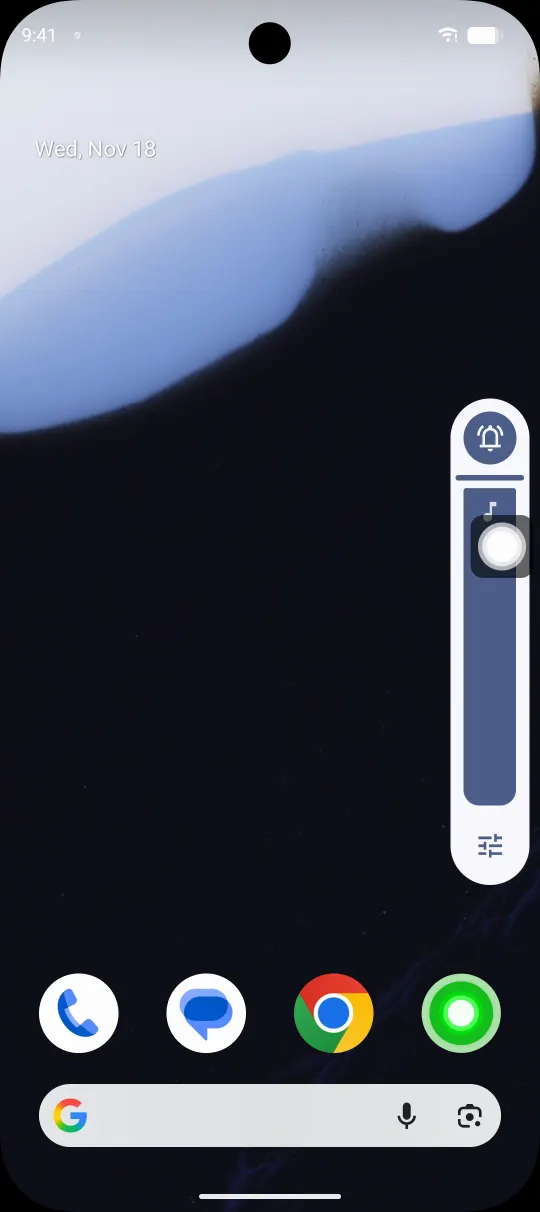
Swipe up twice and down once on the button: the system volume slider appears at the edge with each swipe.
Keep the swipe a quick flick. If you press and hold first, Floatify treats it as moving the button. For a quick mute without opening the menu, put Mute Media on Double Tap or Long Press. The screenshot guide covers another key people lose early.
A floating button cannot fix a stuck key or press a key during startup, so for Safe mode or recovery you still need the hardware keys or a repair.
FAQ
Why is my volume button not working on Android?
Usually a tight case, dirt under the key, a software glitch or an app that intercepts the keys. Remove the case, restart and try Safe mode. If the keys fail there too, the hardware needs repair.
How do I mute my phone without the volume button?
Use the Sound mode tile in Quick Settings, or switch the ringer in Settings. A floating button with Sound Mode or Mute Media does it in one tap.
No ads. No sign-up. Works on Android 10+.