You call the same person every day, or message one WhatsApp chat, or need one exact screen, and each time it is home screen, find the app, tap through. A one-tap call shortcut on Android removes those steps, and the easiest place to keep it is a button that floats over every app.
The short answer: in Floatify, tap Add action… > OpenAnything > Extra shortcuts > Direct dial to call a contact in one tap, or add a Web & App Link item with a link such as https://wa.me/<number> to open a chat. Both appear in the floating menu, over whatever app you are using.
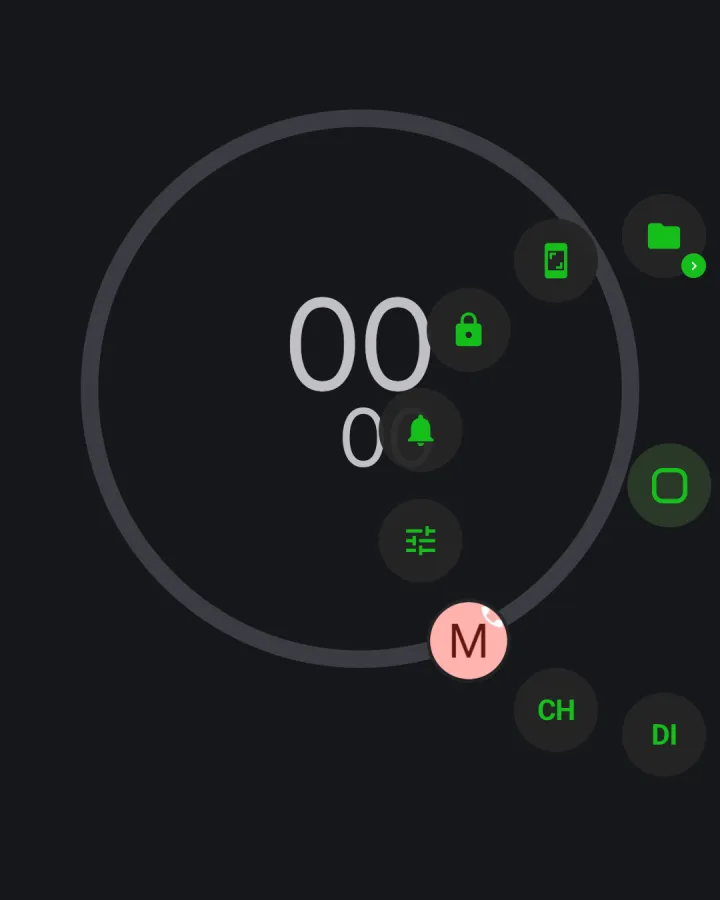
A radial menu with a call item (M), a chat link (CH) and a dialer link (DI), on a Pixel emulator running Android 17.
What Android gives you for one-tap shortcuts
All of these live on the home screen, so you have to leave your app first.
- Contacts Direct dial. Long-press the home screen, open Widgets, find Contacts and drag out Direct dial. Pick a person and the icon calls them.
- WhatsApp chat shortcut. Open the chat, tap the three-dot menu, then More and Add shortcut (the wording varies by version).
- Maps route shortcut. On a route in Maps, the three-dot menu offers to add the route to the home screen.
- Long-press app shortcuts. Hold an app icon for its built-in jumps, like Camera selfie or Clock timer.
How to add a one-tap call to a floating menu
- Open Floatify, scroll to Menu Items and tap Add action…, then OpenAnything.
- Tap Extra shortcuts, then Direct dial under Contacts, and choose the person.
- Tap the new item the first time. A dialog titled Allow phone calls asks for the Phone permission: Continue shows Android's prompt, Not now opens the dialer with the number instead. After you allow it, the item calls straight away.
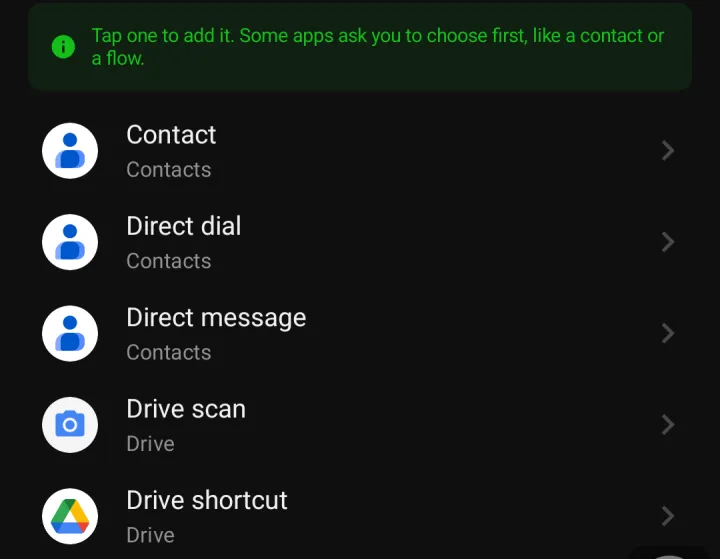
The Extra shortcuts list, with Contacts Direct dial and Direct message at the top.
The same list holds Contacts Direct message and Maps Directions, which ask who or where first. Shortcuts like these are Android's own "create shortcut" entries, the ones a launcher adds through Widgets.
How to add a WhatsApp chat or deep link shortcut
A deep link is a web-style address that opens one screen of an app. For chats, contacts and places that Extra shortcuts do not list, use a link.
- Add action… > Web & App Link.
- Type the link, or tap a chip (
https://,tel:,sms:,mailto:,geo:) and fill in the rest. Examples:https://wa.me/15555550100for a WhatsApp chat (country code first, no plus sign or spaces),tel:0123456789for the dialer,geo:0,0?q=Eiffel+Towerfor a place in Maps. - Add an optional title. With no picture, the item shows the first two letters of the title ("Chat Mom" becomes CH). Tap the round icon to pick a picture instead.
- Tap Test to open the link right away, then Save.
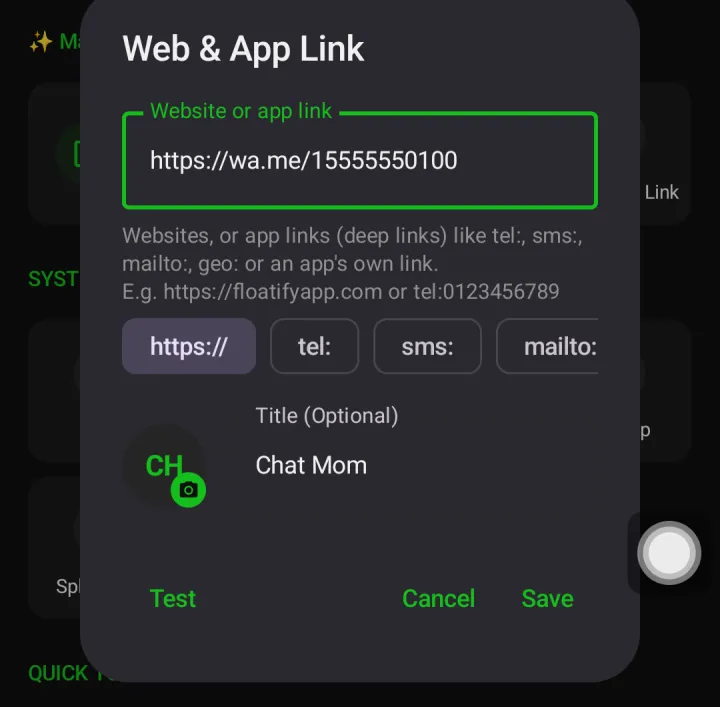
A wa.me link with a title. Test opens it before you save.
A tel: link opens the dialer with the number filled in and you tap Call. Only the Direct dial item places the call itself.
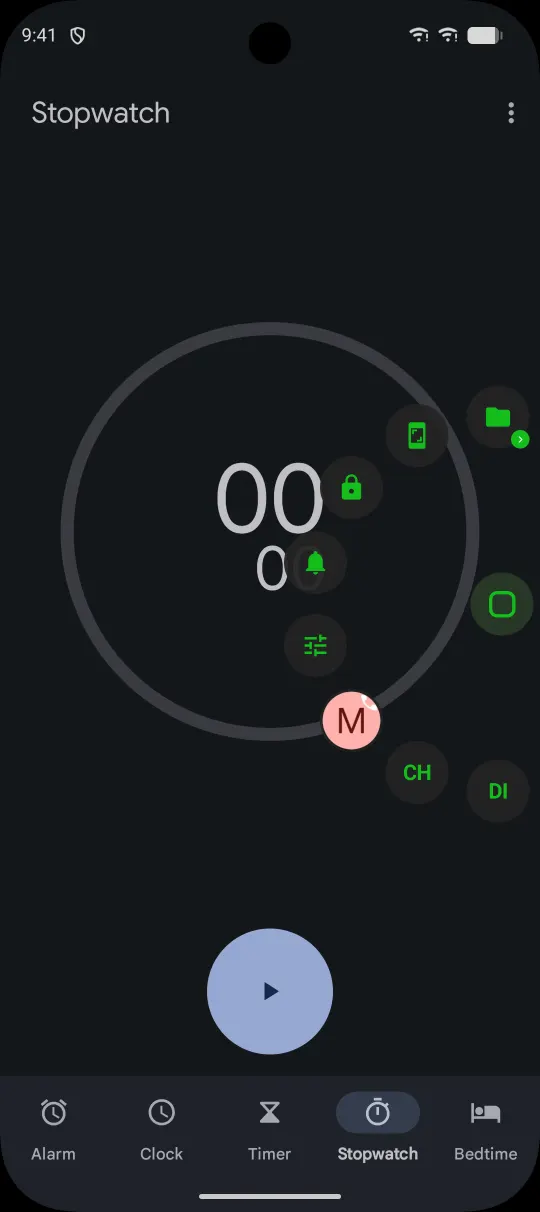
Tap the button, tap the DI item, and the dialer opens.
Screens that are not links, such as a hidden settings page, come from OpenAnything's Activities list instead; see Android hidden settings. To organize many shortcuts, group them in folders, as in the floating app launcher guide.
FAQ
How do I add a one-tap call shortcut on Android?
Use the Contacts Direct dial widget on the home screen, or add Direct dial in Floatify so it sits in a floating menu.
How do I make a WhatsApp chat shortcut from a number?
Use a link in the form https://wa.me/<number>, with the country code first and no plus sign, zeros or spaces. In Floatify, put it in a Web & App Link item.
Does a tel: link call straight away?
No. It opens the dialer with the number, and you tap Call. For a one-tap call, use Direct dial and allow the Phone permission once.
Can a link shortcut fail?
If no installed app can open the link, tapping it shows a short "Unable to launch" message. Use Test when you add it to check.
No ads. No sign-up. Works on Android 10+.