You are in the middle of something and need Calendar or Contacts right now. The usual route is home, find the icon, open it, find your way back. A floating app launcher skips that: a button sits over every app and opens a menu of your own favorites.
Android has no system-wide launcher that floats over other apps, so you need an app that draws one. In Floatify, pick a menu under Menu Style (Radial, Panel, Vertical List or Grid), then add apps with Add action… > OpenAnything. A menu holds up to 16 items, and folders keep the rest tidy.
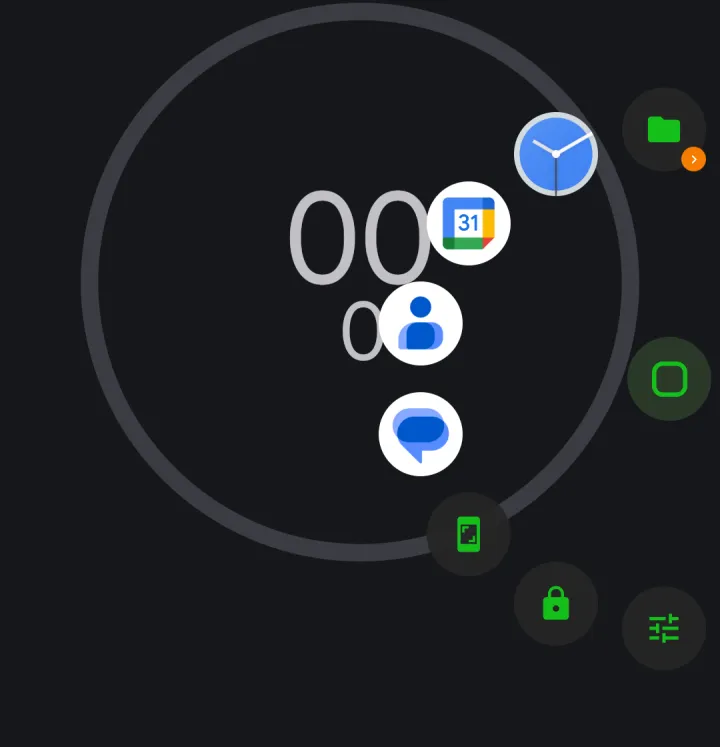
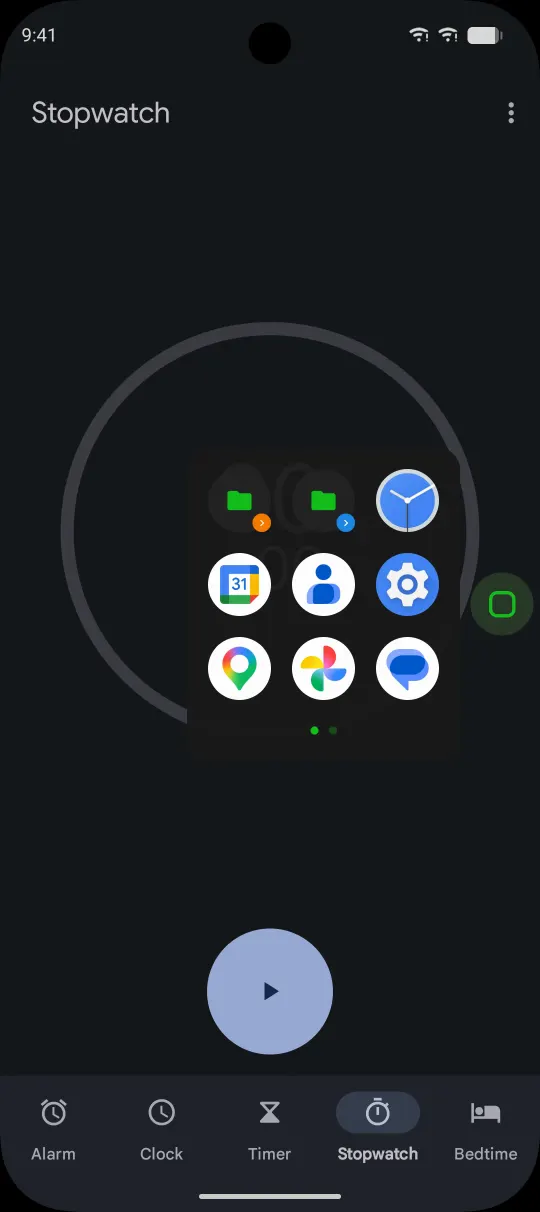
A radial floating app launcher open over the Clock app. Captured on a Pixel emulator running Android 17.
What Android gives you for quick access to apps
Home screen folders, the dock and long-press app shortcuts only work after you leave your current app, and Recent apps shows what you opened last rather than your favorites. Samsung's Edge panels and the sidebars on Xiaomi, OPPO and realme phones come closest to a floating launcher, but they are brand-specific, with fixed layouts. On a Pixel nothing floats over other apps. New to floating buttons? Start with what is a floating button on Android.
How to set up a floating app launcher on Android
- Open Floatify and scroll to Menu Items.
- Tap Add action…, then choose OpenAnything. It lists every installed app.
- Tap an app to add it. If the app has shortcuts or screens of its own, its page opens first; tap Open followed by the app name to add the plain app.
- Drag the handles to put the most used ones first.
OpenAnything also lists an app's shortcuts and screens, so you can add "Clock Timer" instead of just "Clock". The hidden settings guide covers the screens side. Apps and system actions share one list, so Calendar, Screenshot and Lock Screen can sit side by side.
Which menu style should you pick?
The four styles show the same list differently. The image shows the same eight items in Radial, Vertical List, Grid and Panel, in that order.
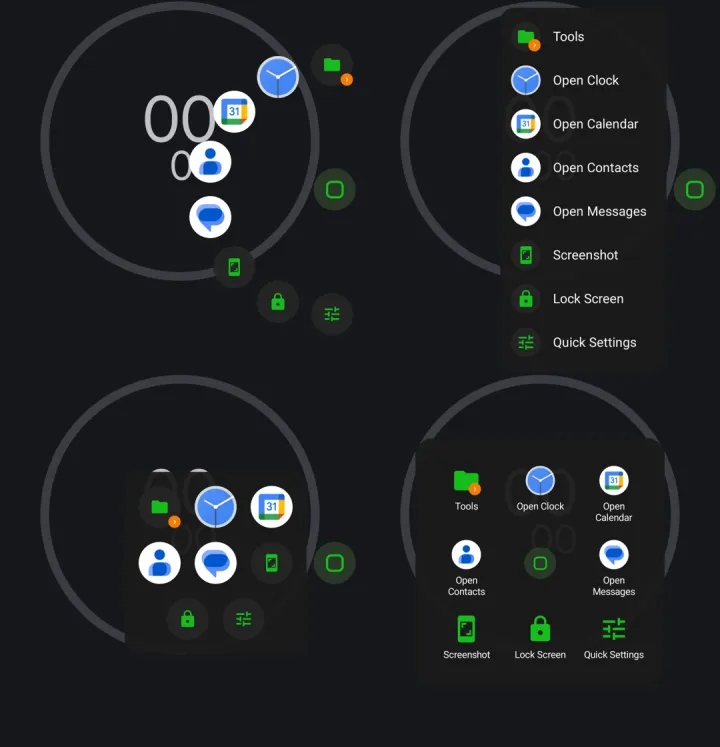
Radial (top left), Vertical List (top right), Grid (bottom left) and Panel (bottom right).
- Radial is the default: an arc around the button, close to your thumb, best for a few items you know by icon.
- Vertical List has one row per item with the name beside it, eight rows per page. Easiest to read.
- Grid is a 3x3 block of icons, nine per page. Suits a launcher of mostly apps.
- Panel shows the icon with a short name under it, three columns wide, eight items per page. It has the AssistiveTouch look.
Android shortcut folders: keep a big menu tidy
Tap Add action…, then Folder, name it and add at least two actions. A folder can hold apps, system actions or both, but not another folder.
Tapping a folder in the floating menu swaps the menu to its contents, and the button becomes a Back arrow. Open a folder's gear in Menu Items to rename it or pick a Color; Auto follows your accent color, and any other swatch gives the folder icon's badge its own color, so two folders are easy to tell apart.
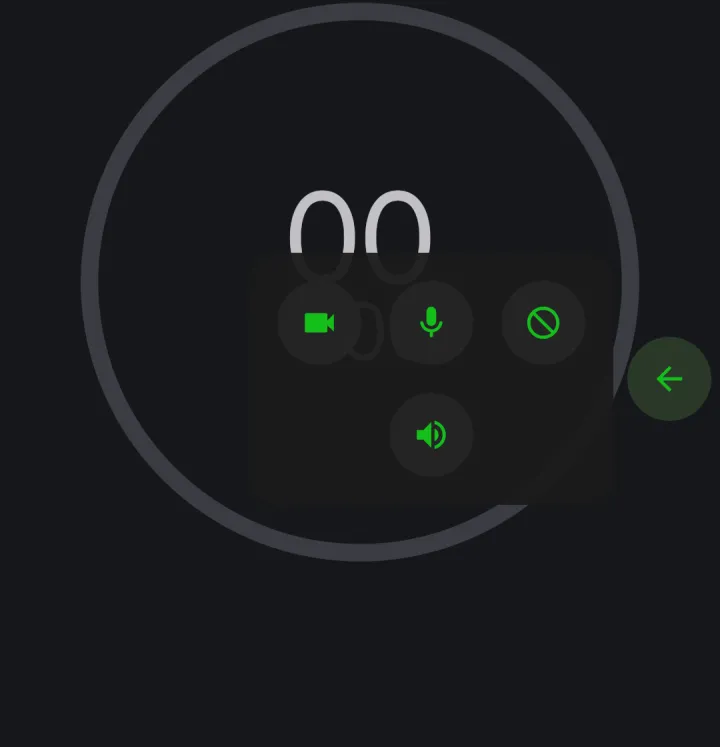
Inside the Tools folder. The round button on the right is now the Back arrow.
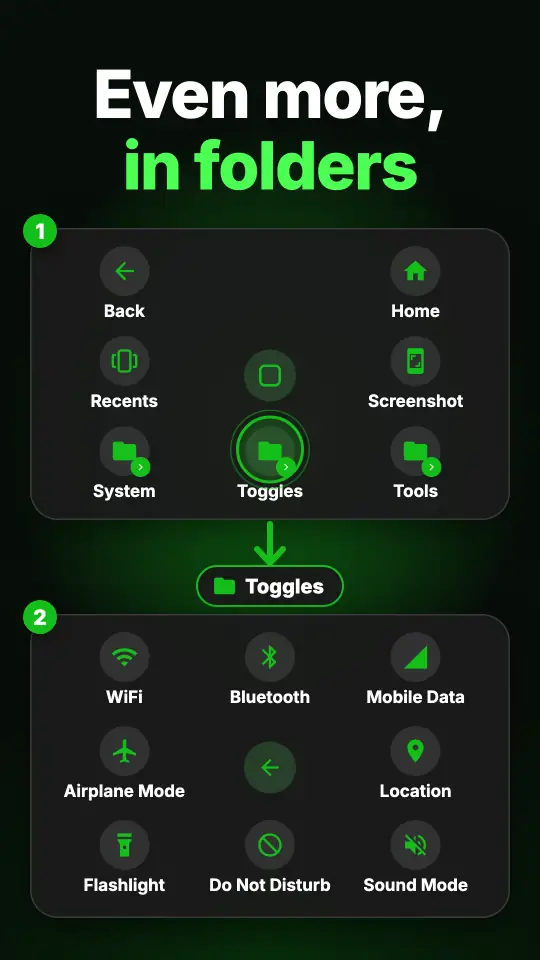
Floatify's own overview of folders (a promo graphic, not a raw screenshot).
How many apps can the menu hold?
Up to 16 items in the main menu and 16 in every folder. Past eight items (nine in Grid), each style changes:
- Radial adds a second, wider ring. The first items in your list go on the inner ring, closest to the button.
- Vertical List, Grid and Panel add pages. Swipe the menu card or tap a page dot. The menu always opens on page 1.
Add action… turns gray at 16. If you are near the limit, move rarely used apps into a folder: it takes one slot but holds up to 16.
The clip runs the whole loop on a 16-item Grid menu: open the Apps folder, tap Back, swipe to page 2. Going back returns you to the page you left.
Open the menu, open the Apps folder, tap Back, swipe to page 2. Recorded on a Pixel emulator running Android 17.
To rename an app or pick another icon, tap its row in Menu Items; nothing is saved until you tap Save. Styling the button itself is covered in how to customize your floating button.
FAQ
Is there a built-in floating app launcher on Android?
Not in stock Android. Samsung has Edge panels and some Xiaomi, OPPO and realme phones have a sidebar, but a Pixel has nothing that floats over other apps. A third-party app like Floatify adds it.
Can you nest shortcut folders in a floating menu?
No. A folder holds apps and actions and needs at least two items, so there is only one level.
How do I get a radial menu on Android?
Android has no radial menu of its own. In Floatify, open Menu Style, pick Radial, then add apps under Menu Items with Add action... > OpenAnything.
No ads. No sign-up. Works on Android 10+.