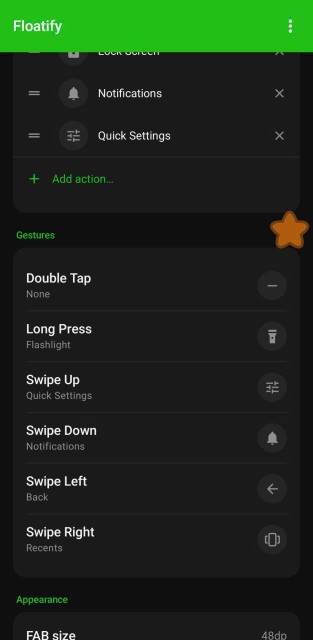
A floating button app runs all day, every day, in the background. It's always there, over every app you open. That makes advertising in this category particularly bad - an interstitial ad while you're in the middle of a game or a work call is much more disruptive than an ad inside an app you occasionally open.
Most floating button apps on Android are heavily monetized with ads. A few aren't. Here's the difference.
Why Ads Are Worse in Overlay Apps
Most apps show ads when you open them. You see the ad, ignore it, use the feature you came for. Manageable.
Floating button apps are different. They run as a persistent foreground service and interact with you constantly throughout your day. When an ad-supported floating button triggers an interstitial - and several popular ones do - it interrupts you mid-task, mid-game, mid-video call, mid-anything.
You also granted these apps "Display over other apps" permission, which means they can literally put UI on top of whatever you're looking at. The potential for intrusive ad placement is higher than with regular apps.
For a utility you rely on constantly, the bar for "acceptable" should be zero ads.
The Best Floating Button App With No Ads
Floatify - 100% free, no ads, fully featured
Floatify is completely free with zero ads - not "ad-lite," not "ads only in menus," genuinely no advertising anywhere in the app. Every feature is fully unlocked, no purchase required.
What you get: All system actions (screenshot, lock, flashlight, WiFi, volume, any app launch, and more), multiple menu layouts (radial, vertical, grid, panel, and others), all gesture slots (tap, double tap, long press), full color and size customization, and a massive shape and emoji library with 100+ shapes and 1,000+ emojis.
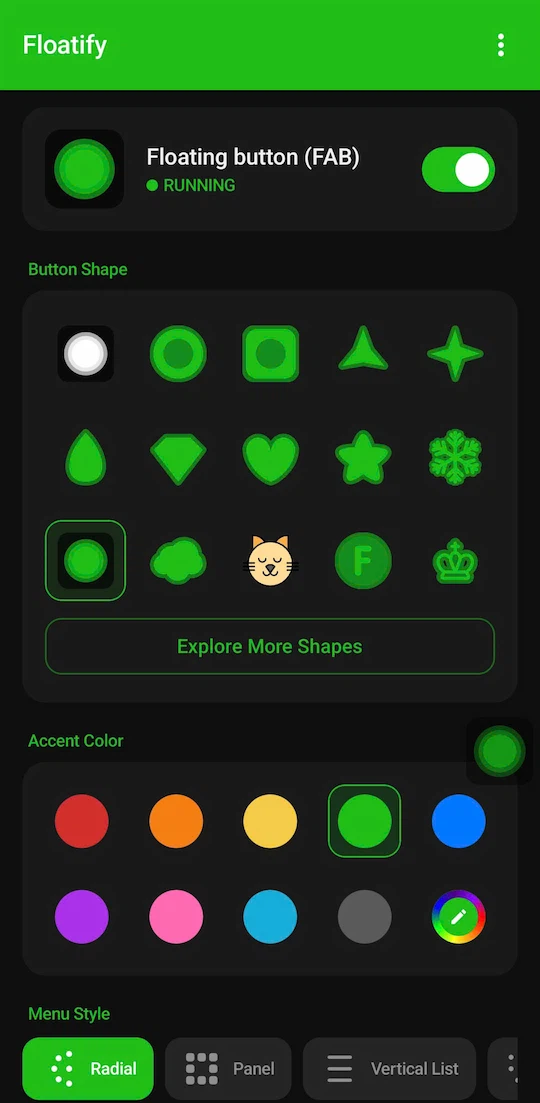
Why no ads? The developer made a deliberate choice to keep Floatify completely free and ad-free. For a utility that runs all day over everything you do on your phone, this is the right call.
Button Mapper - No ads, but different purpose
Button Mapper has no ads. However, it remaps physical hardware buttons rather than adding a floating overlay - it doesn't show a button on screen.
Use it if: You want to reassign your volume keys or Bixby key to custom actions. Not if you want an on-screen floating button.
Android's Built-in Accessibility Menu - Free, no ads, basic
Android has a native accessibility overlay (Settings - Accessibility - Accessibility Menu) that adds a floating shortcut grid with home, back, recents, and a few other system actions.
No ads, no installation required. The downsides: it can't be moved, has fixed styling, and offers no customization. It's designed as an accessibility tool, not a productivity feature.
What "No Ads" Actually Means
Worth being specific, because some apps claim "no ads" while still having them in certain contexts:
- No banner ads: No persistent advertising strip inside the app UI
- No interstitial ads: No full-screen ads that appear when you trigger an action
- No rewarded video ads: No "watch an ad to unlock X" mechanics
- No notification ads: No promotional push notifications disguised as app notifications
Floatify has none of these. The app UI is clean, the floating button never triggers an ad, and there are no promotional notifications.
The Ad-Supported Alternatives (For Reference)
The most-downloaded floating button apps - Easy Touch, Assistive Touch for Android, and most "iPhone-style assistive touch" apps - are heavily ad-supported. Here's what that looks like in practice:
Easy Touch: Banner ads on the main screen, interstitial ads triggered periodically when using the floating menu. Subscription required to remove them ($2-4/month depending on region).
Assistive Touch for Android: Similar banner placement. Full-screen interstitials appear after extended use sessions. No paid option to remove ads.
Generic "iOS style" apps: Usually the most aggressive - ads on setup screens, inside the floating menu, and as push notifications.
These apps work. If you need something free and are okay with occasional ad interruptions, they're functional options. But for a utility that's always running, the interruptions add up.
Frequently Asked Questions
Is Floatify really free? What's the catch? Yes, it's genuinely 100% free. There are no purchases, no subscriptions, and no ads. Every feature - all actions, all menu layouts, all gestures, all shapes and emojis - is available without paying anything.
What happened to apps that used to be ad-free? Several floating button apps that launched as ad-free have since added ads or moved to subscriptions. Easy Touch is the most prominent example - it was once a one-time purchase and is now ad-supported with a subscription tier. Monetization strategies in this category tend to drift toward ads over time.
Can I trust an app with "Display over other apps" permission? This is a legitimate concern. The permission allows an app to draw UI over other apps. It cannot access your passwords, camera, microphone, or files unless it also has those specific permissions. Floatify requests overlay permission and accessibility service for certain actions (lock screen, back, screenshot), both of which are standard for this category.
Also read: Best Assistive Touch Apps for Android in 2026 - a full comparison of all major floating button apps. If your home button is physically broken, see Android Home Button Not Working? 5 Fixes That Actually Work.
No ads. No sign-up. Works on Android 10+.