When You Need an On-Screen Back Button
The Back action is the one you use most on Android - and it is the one gesture navigation gets wrong most often. A floating back button gives you a single, reliable spot to tap instead of swiping from the edge and hoping it registers.
You want a floating back button when:
- The back swipe keeps misfiring or opening in-app side menus instead of going back
- You use a case or a foldable where edge swipes are awkward
- One-handed reach to the screen edge is uncomfortable on a large phone
- Your hardware or on-screen back button has stopped responding
- You simply prefer a predictable tap over a gesture you have to aim
It floats over every app and stays where your thumb rests, so going back is always the same motion.
Does Android Have a Built-In Floating Back Button?
No. Android's back control is either part of the fixed 3-button bar or the edge-swipe gesture. There is no system option to put a movable, floating back button on screen.
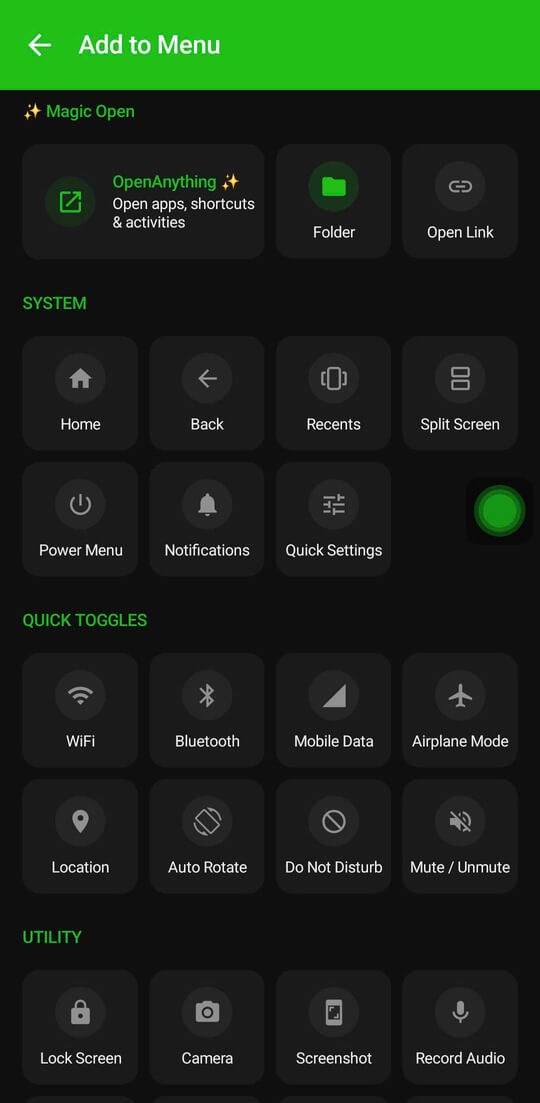
A third-party overlay app provides it. Floatify is free - no ads, no paywalls - and lets you assign Back to a floating button in a couple of taps.
Add a Back Button with Floatify
Step 1 - Install Floatify
Get Floatify from the Play Store. Free, no ads, no in-app purchases.
Step 2 - Grant Overlay + Accessibility
Floatify needs "Display over other apps" so the button can float everywhere, and the Accessibility permission so the Back action can actually work system-wide. The app guides you through both with brand-specific steps for Samsung, Xiaomi, OPPO, and more.
Step 3 - Assign Back to a Gesture
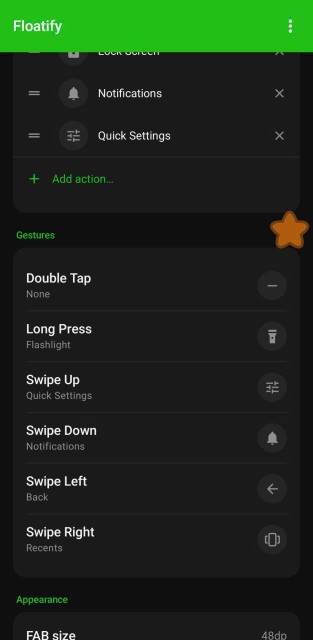
In gesture settings, set Single tap to Back if you want back to be your primary action. Prefer to keep tap for Home? Assign Back to Swipe left or Double tap instead - whatever feels natural for your thumb.
Step 4 - Place It Within Thumb Reach
Drag the button to a comfortable corner. It snaps to the edge so it stays flush and out of the way. Now going back is one consistent tap, every time, in every app.
Floating Back Button vs the Back Gesture
The edge-swipe back gesture is fine until it is not. It competes with apps that use edge swipes for their own menus, the active zone is invisible and changes per app, and it is easy to trigger by accident while scrolling.
A floating back button is a fixed target you can see. There is no aiming, no conflict with in-app menus, and no guessing whether the swipe registered. It is slower than a perfect gesture but far more reliable - and for the action you use most, reliability wins.
You do not have to choose, either. Floatify runs alongside the back gesture, so you can keep both and use whichever you prefer in the moment.
Fixing Edge-Swipe Conflicts
If you map Back to a swipe on the button itself, that swipe could in theory clash with Android's system back gesture. Floatify avoids this: when the button is snapped to a side edge, it registers a system gesture exclusion zone around itself, so your swipe on the button never gets stolen by the OS back gesture. Navigation stays responsive even on full gesture-navigation phones.
Frequently Asked Questions
Does a floating back button work if my hardware or on-screen back button is broken?
Yes. Floatify draws over the system UI and triggers Back through the Accessibility service, independent of your physical or system buttons. It works as a complete replacement.
Will it conflict with apps that use edge swipes?
No. The button is a fixed tap target, so it never competes with in-app edge menus. And when snapped to an edge, it excludes itself from the system back gesture.
Can I keep the normal back gesture too?
Yes. Floatify runs alongside your existing navigation. Keep the gesture, the 3-button bar, or neither.
Does it work on all Android phones?
Yes - Samsung, Xiaomi, OPPO, Realme, OnePlus, Pixel, Motorola, and more, on Android 7 or newer.
Is it free?
Completely. No ads, no paywalls, no in-app purchases.
Also Read
No ads. No sign-up. Works on Android 10+.